
Chaos to Clarity: How Shop Captain Organizes Your Workflow and Boosts Your Bottom Line
- Shop Captain
- Jan 7
- 3 min read
Every business reaches a tipping point. The whiteboard is full, sticky notes are falling off monitors, and someone is shouting across the room, "Is that order ready yet?"
This is "workflow friction." It’s invisible, but it costs you money every single day.
When tasks get lost or communication slows down, customers wait longer, mistakes happen, and staff get frustrated. That is why we built Shop Captain—not just to list tasks, but to fundamentally organize how your company moves work from "To Do" to "Done."
Here is how Shop Captain turns chaos into clarity and benefits your entire company.

1. It Creates a "Single Source of Truth"
In many offices, the status of a job exists only in someone's head. If that person goes to lunch, the information disappears.
Shop Captain centralizes this knowledge.
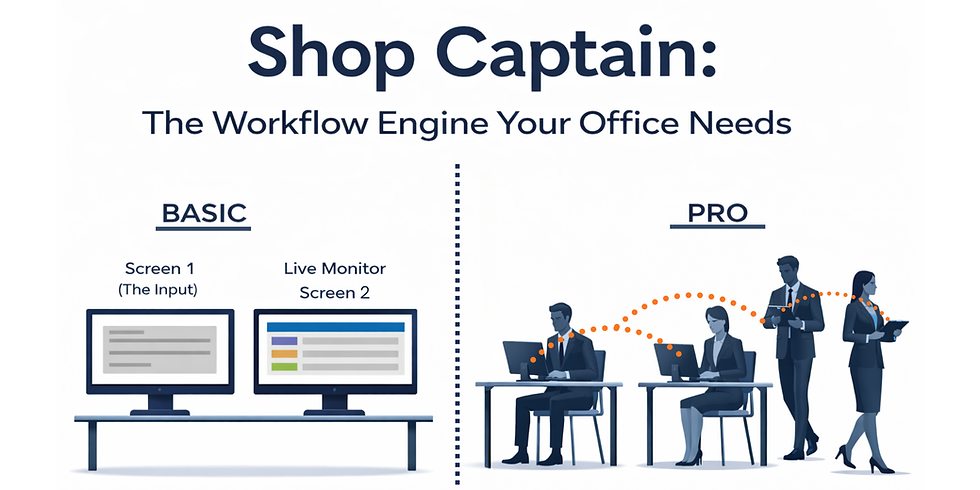
The Benefit: Anyone— manager, technician, or salesperson can look at the Monitor screen and know exactly what is happening in real-time. No more chasing people down for updates.
The Result: Faster answers for yourself and customers with less time wasted on in-person "status checks" .
2. It Prioritizes What Actually Matters
Not all tasks are created equal. When everything is just a scribbled note, "Urgent" jobs get buried under "Routine" ones.
Shop Captain uses a clear, color-coded priority system:
Normal (White): Standard workflow.
High (Orange): Needs attention soon.
Urgent (Red): Drop everything and do this now.
The Benefit: Your team instantly knows where to focus their energy. High-value or emergency tasks naturally float to the top of their attention, ensuring deadlines aren't missed.
3. It Handles the "In-Between" Moments
Workflows aren't always linear. Sometimes you start a job, but have to stop because you're waiting on a part or a client approval. In manual systems, these paused jobs often clutter the workspace or get forgotten entirely.
Shop Captain’s Hold feature solves this.
The Benefit: You can pause a ticket (turning it grey) without deleting it. It stays visible but signals to the team, "This is active, but waiting."
The Result: Nothing falls through the cracks, and your "Active" list stays clean and actionable.
4. It Professionalizes Your Operation
Perception is reality. When a customer walks in and sees a digital screen displaying a live, organized queue of work, it sends a powerful message: "This company is organized, high-tech, and in control."
The Benefit: The Pro version allows for custom branding (your company name on the screen).
The Result: It builds trust. Customers feel more confident leaving their project with you when they see a professional system tracking it.
5. It Reduces "Context Switching"
Did you know that once an employee is interrupted, it takes an average of 23 minutes and 15 seconds to fully get back on task?
That figure comes from a study at the University of California, Irvine, which found that distractions force our brains to shift gears, causing stress and lowering overall efficiency. Every time someone has to stop and ask, "What should I do next?", that clock starts ticking.
Shop Captain eliminates these costly interruptions. The queue is always visible. When an employee finishes a task, they simply look at the screen, see the next priority, and get straight to work, no questions asked.
The Bottom Line
Shop Captain isn't just software; it's an efficiency upgrade. By making work visible, prioritized, and trackable, you aren't just organizing tasks, you’re freeing your team to stay focused, move faster, and keep the shop running smoothly..
Stop managing chaos. Start Captaining your shop.
Ready to organize your workflow? Download Shop Captain v2.0 today.
Comments